


Referral Portal

Vertex Header Template scaled

Simplify Referrals. Reduce Errors. Serve More People.

Icons Referral Portal

The Vertex Referral Portal brings that process into your IDD software platform and keeps everything connected from the moment a referral is submitted.

The Referral Portal is a module within Vertex Systems, built on the same technology that powers our Forms module. It allows external organizations to submit consumer referral requests directly to your agency through a structured digital form. Each submission flows automatically into your Vertex Case Manager, creating the consumer record and notifying the right staff without any manual data entry in the middle.

The Referral Portal is available now. Get started today.

What Is the Referral Portal?

The Vertex Referral Portal is a digital intake and referral management solution designed for the IDD industry.

Referral partners, including supported employment programs, social services departments, vocational rehabilitation agencies, and community organizations, can access your organization’s referral form directly from your website. They complete the form with the consumer’s information, service needs, and relevant background. That submission is routed through the Vertex platform, reviewed and approved by your team, and then used to automatically create the consumer’s record in Case Manager.

Who Uses the Referral Portal?

Receiving Organizations 

IDD agencies, sheltered workshops, rehabilitation facilities, disability services organizations, and other providers who want to streamline the process of accepting consumer referrals from external partners. The Referral Portal lives on your website and is configured specifically for your organization’s intake requirements.

Referring Partners 

Case managers, social workers, social services departments, employment programs, and other organizations that currently send consumers to your agency by phone, fax, or email. With the Referral Portal, they submit a structured form in minutes and receive automatic updates as the referral moves through your review process.

Vertex WorkforceHub Image 6

How the Referral Portal Works

Step 1

Your Form, On Your Website 

Vertex builds your referral form based on the intake information your organization needs. The completed form is embedded on your website. Referring partners visit your site, open the form, and fill it out with the consumer's demographic information, service needs, funding source, and any relevant background.

Step 2

Submission and Review 

Every time a partner opens the form, a new referral is created. Submitted referrals are routed to your team for review inside Vertex. Staff can evaluate the referral, request additional information if needed, and approve or decline based on your organization's capacity and criteria.

Step 3

Automatic Record Creation 

When your team approves a referral, the consumer record is automatically created in Vertex Case Manager. The data submitted by the referring partner populates the record directly. No second step. No re-entry. No transcription errors.

Step 4

Case Manager Notification 

The case manager or social worker who submitted the referral receives an automatic update on the status. They know when the referral was received, when it is under review, and when it has been approved or declined. No follow-up calls or emails required.

Key Benefits of the Referral Portal

Vertex Billing Management Invoice Preparation Icon

Save Time on Every Referral

Referral data submitted by the case manager or social worker flows directly into Vertex upon approval. No manual transfer. No re-entry. Time saved on both ends of every referral.
Vertex Icon Template 02 e1773849939440

Reduce Data Entry Errors

When information is entered once by the person who already has it, transcription errors are eliminated. The right data comes in structured and lands exactly where it needs to go.

Vertex Icon Template 01 e1778517173287

Streamline Employment and Client-Directed Referrals

Structured forms ensure the right information comes in from the start, reducing delays and back-and-forth on the referral types that need it most.

Vertex Billing Authorization Management Icon

A Familiar, Connected Process

Built on the same technology as Vertex Forms. If your organization already uses Forms, getting started with the Referral Portal follows the exact same steps.
Integration with Case Manager

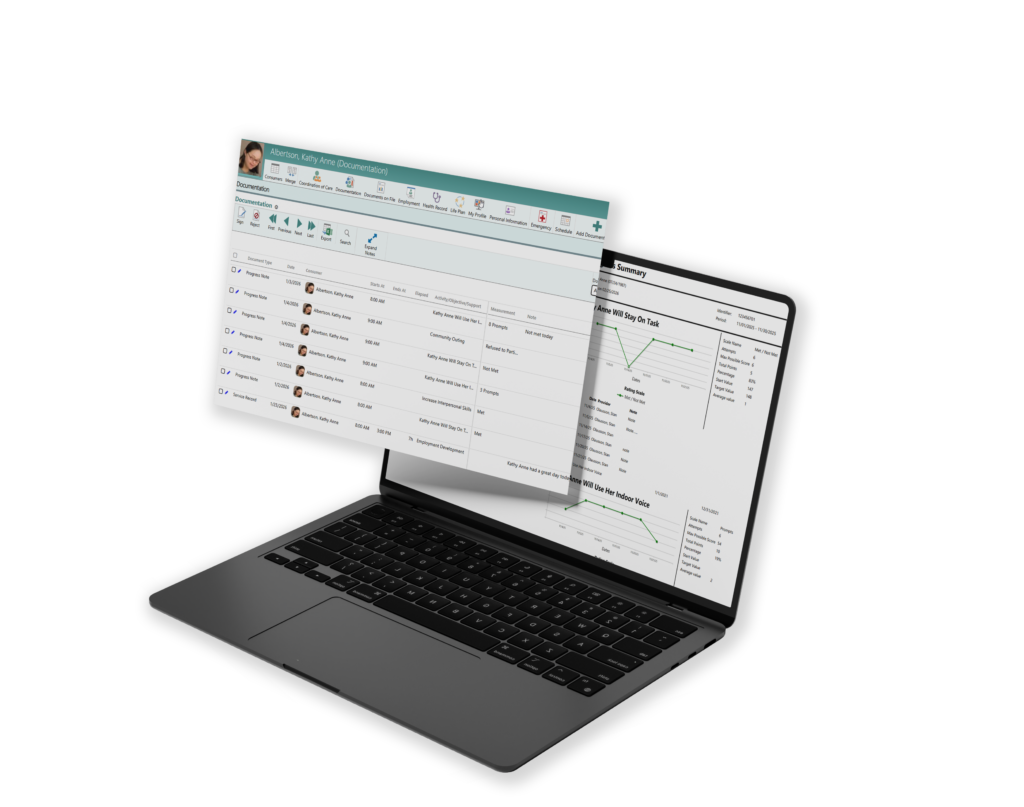
The Referral Portal is fully integrated with Vertex Case Manager. There is a dedicated Referrals button within Case Manager where staff can view, manage, and act on incoming referral submissions. Approved referrals create consumer records automatically. Case managers and social workers who submitted referrals receive status updates without additional outreach from your team.

Vertex Header updated 3 scaled

Getting Started

The Referral Portal is available now. Contact us at Info@VertexSystems.com, call (614) 318-7100, or schedule a demo.


Scroll to Top
Skip to content